Shopify AI Sales Agent Revenue on Autopilot
Most chatbots just answer questions. Aurevia asks first, then sells — clarifying what each shopper actually wants, recommending what they're most likely to buy, and recovering carts before they're lost. That's the difference between a search box and a sales rep.

 Powered by Aurevia.io
Trusted by growing Shopify brands














The AI sales agent for Shopify
What is Aurevia?
The best store associate greets, asks, recommends and closes. Aurevia does that on every page of your Shopify store, in your brand’s voice, and hands the conversation to your team when it should.
01 · Recommendations
Recommends what they'll actually buy
Aurevia reads intent, not keywords. A vague ask becomes two or three products the shopper can act on, pulled live from your catalog with real prices and stock.
- Product cards inside the chat
- Live catalog, live prices
- Curated sets, not a wall of results
02 · Cart
Adds to cart and opens the drawer
No links to click, no tabs to switch. The shopper says yes, the item lands in your real Shopify cart, and the drawer slides up with a checkout button.
- Add, update, remove from chat
- Works with your theme's cart
- One-tap checkout
03 · Compare
Compares products and gives a verdict
When a shopper is stuck between two options, Aurevia lays them out side by side and says which one fits. That's the moment most carts are won or lost.
- Two products, one card
- Winner highlighted per row
- A plain-English verdict
04 · Handoff
Hands off to your team when it should
Ask for a human and a ticket opens, your team gets pinged, and the same chat turns into a live conversation. The shopper never leaves the window.
- Ticket with working-hours awareness
- Live takeover from the dashboard
- Hand back to AI when done
Hi Camille,
Just wanted to check in. You’ve got the Silk Draped Blouse, Gilded Statement Necklace and Patent Ankle Boots sitting in your cart. If you have any questions about them or need help deciding, just reply here and I’ll get back to you.



Reply to this email if you have any questions.
— Lucien Vallière
05 · Recovery
Follows up when they leave
Abandon a cart and Aurevia writes the follow-up in your store's voice, with the exact items and a one-click way back. Replies come straight into your inbox.
- Sent under your store's name
- Quiet hours and frequency caps
- Replies answered by the AI
Somewhere right now, a customer left your store. AI would have saved that sale.
24/7
Selling while you sleep
Every page, every hour, in your brand's voice.
14 days
Free trial, no card
500 shopper messages included. Billed through Shopify after.
~10 min
Install to first chat
Catalog syncs itself. Add your policies and go live.
1 click
Take over any chat
From the dashboard or your phone, then hand back to the AI.
In your dashboard
Your side of Aurevia
Everything the agent does is visible, measurable and yours to step into.
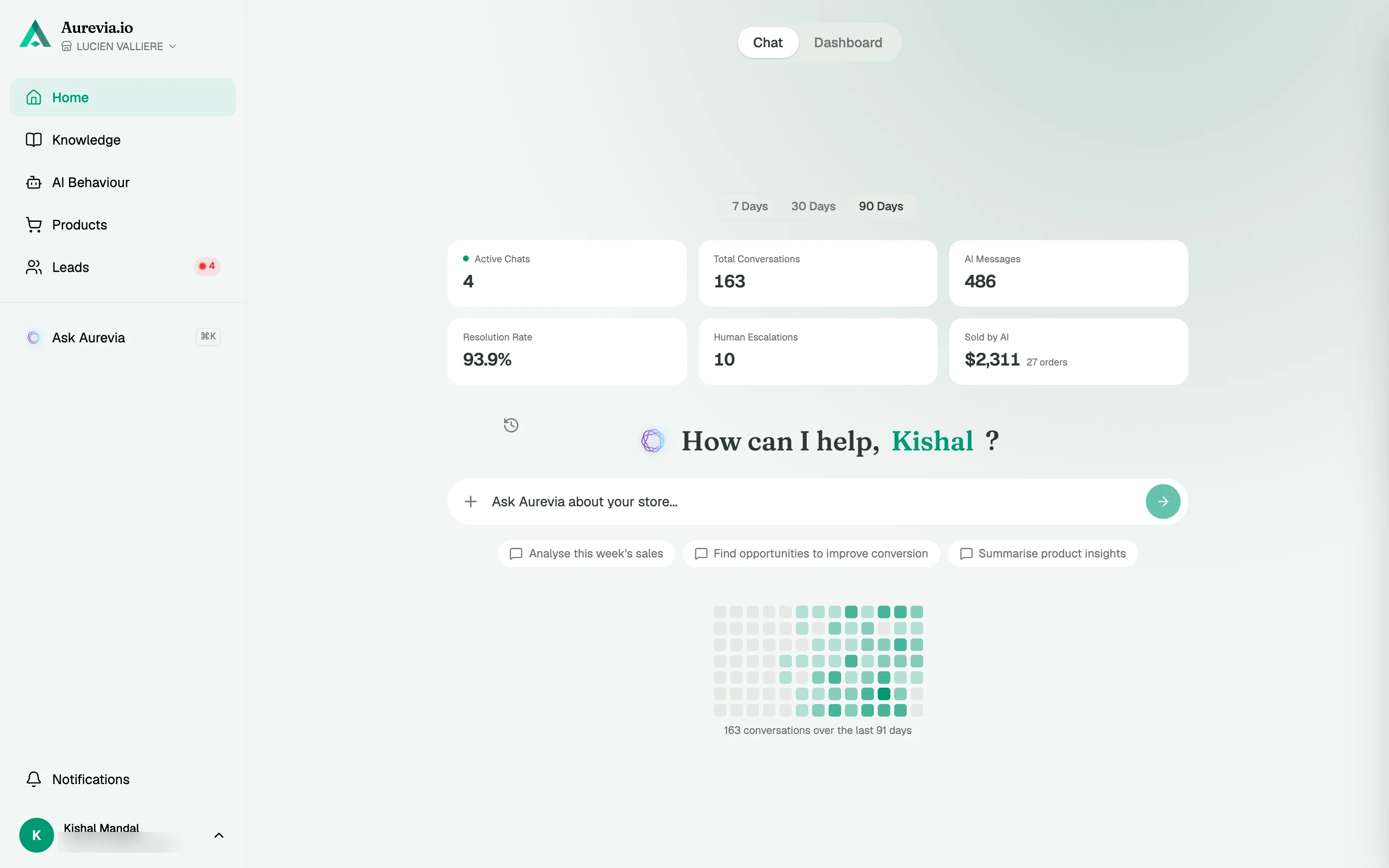
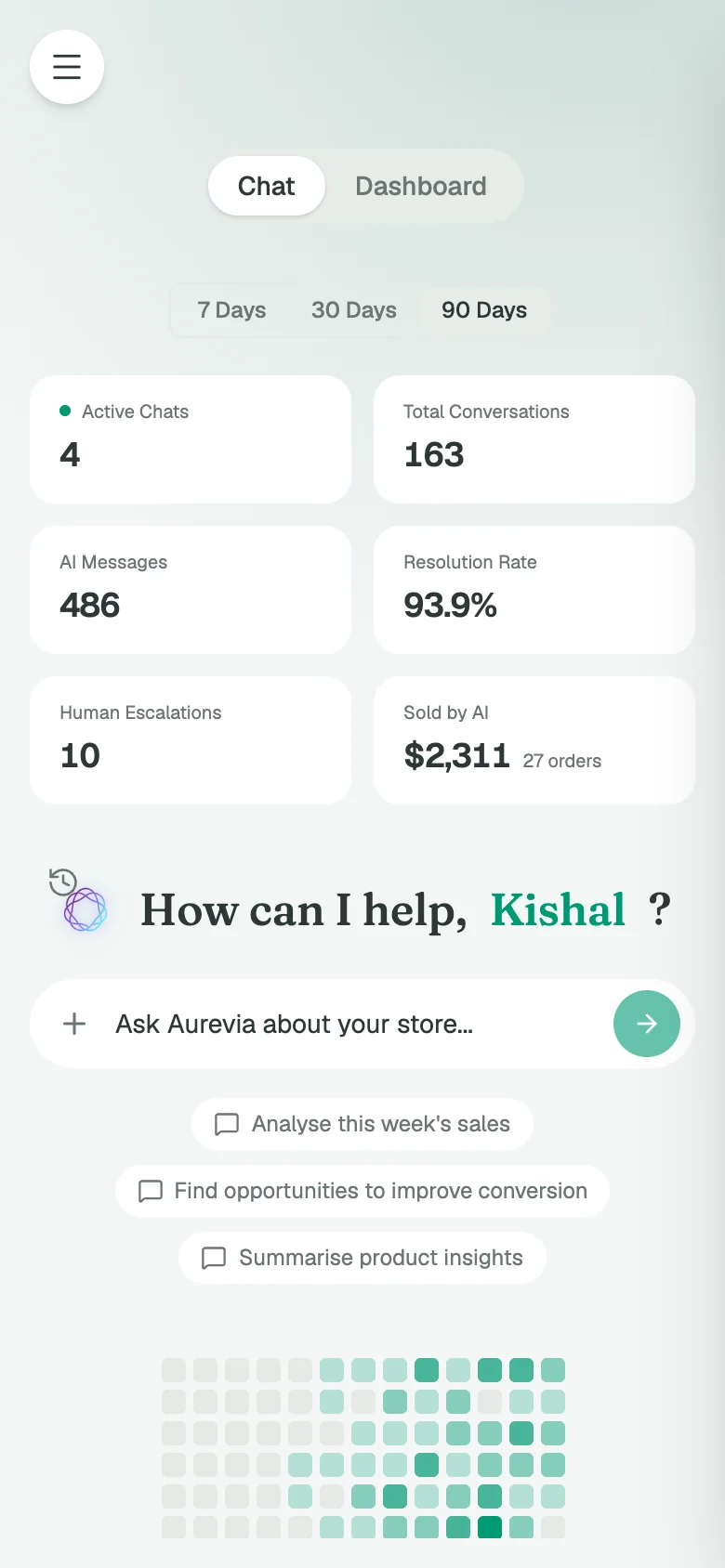
01 · Dashboard
Every dollar the AI touched, on one screen
Sold by AI, resolution rate, escalations, and what shoppers ask most. Not vanity counts — the numbers that tell you whether the agent is paying for itself, plus a copilot to ask about any of them.
- Revenue sold by AI
- Resolution and escalation rates
- Most asked questions, clustered
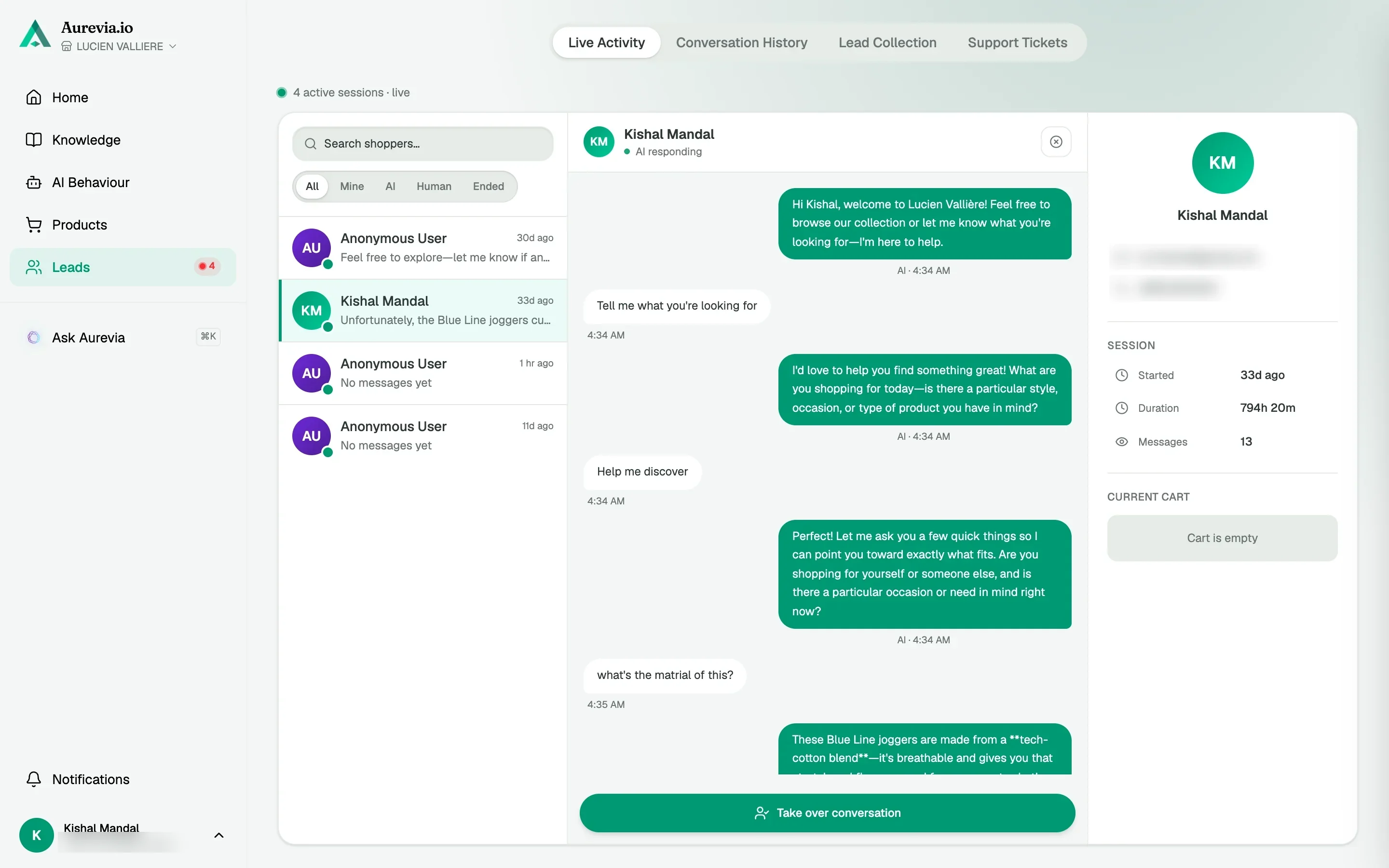
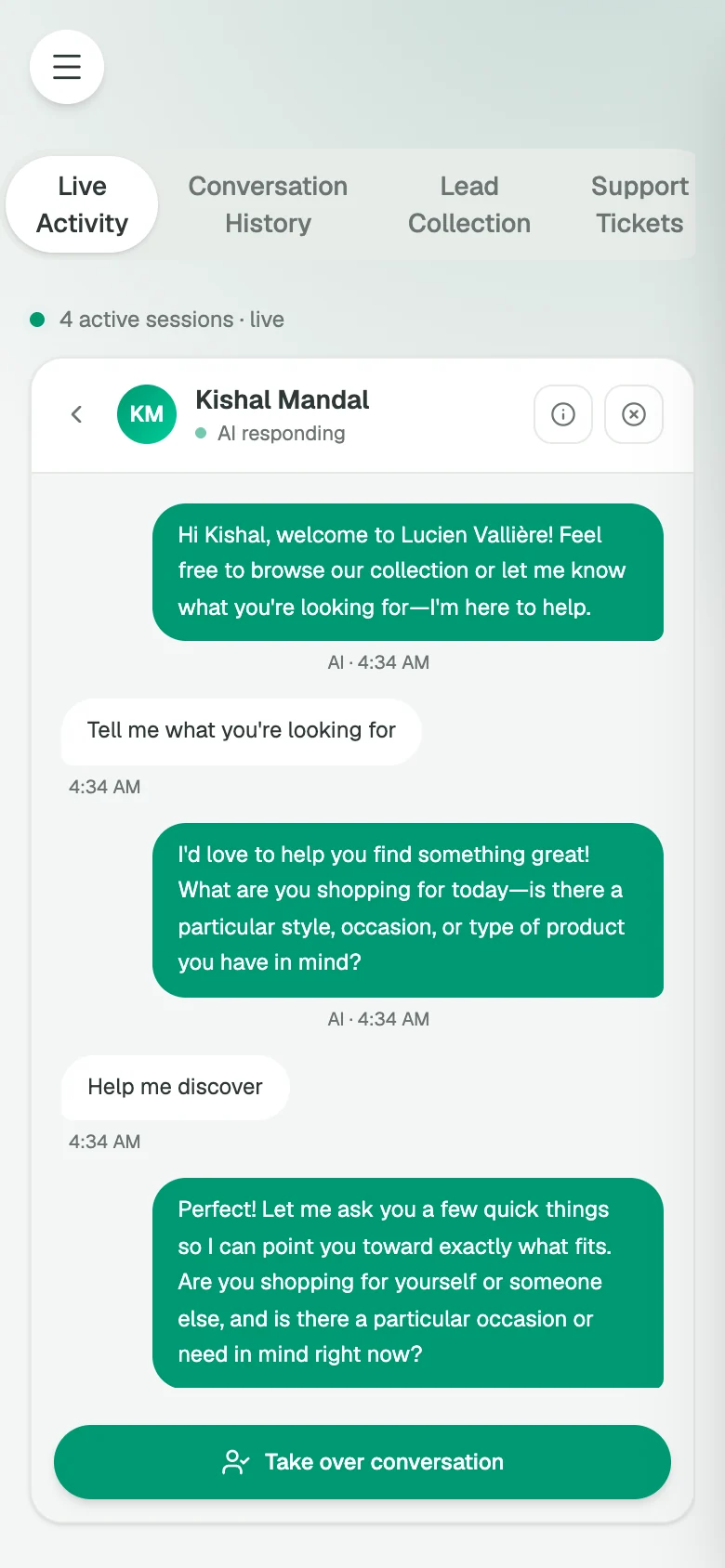
02 · Live activity
Watch every chat. Take over from your phone.
See what shoppers are asking and what's in their cart as it happens. Get the notification, step in, share a product or a cart link, then hand it back to the AI.
- One-click takeover
- Share products and cart links
- Team roles and seats
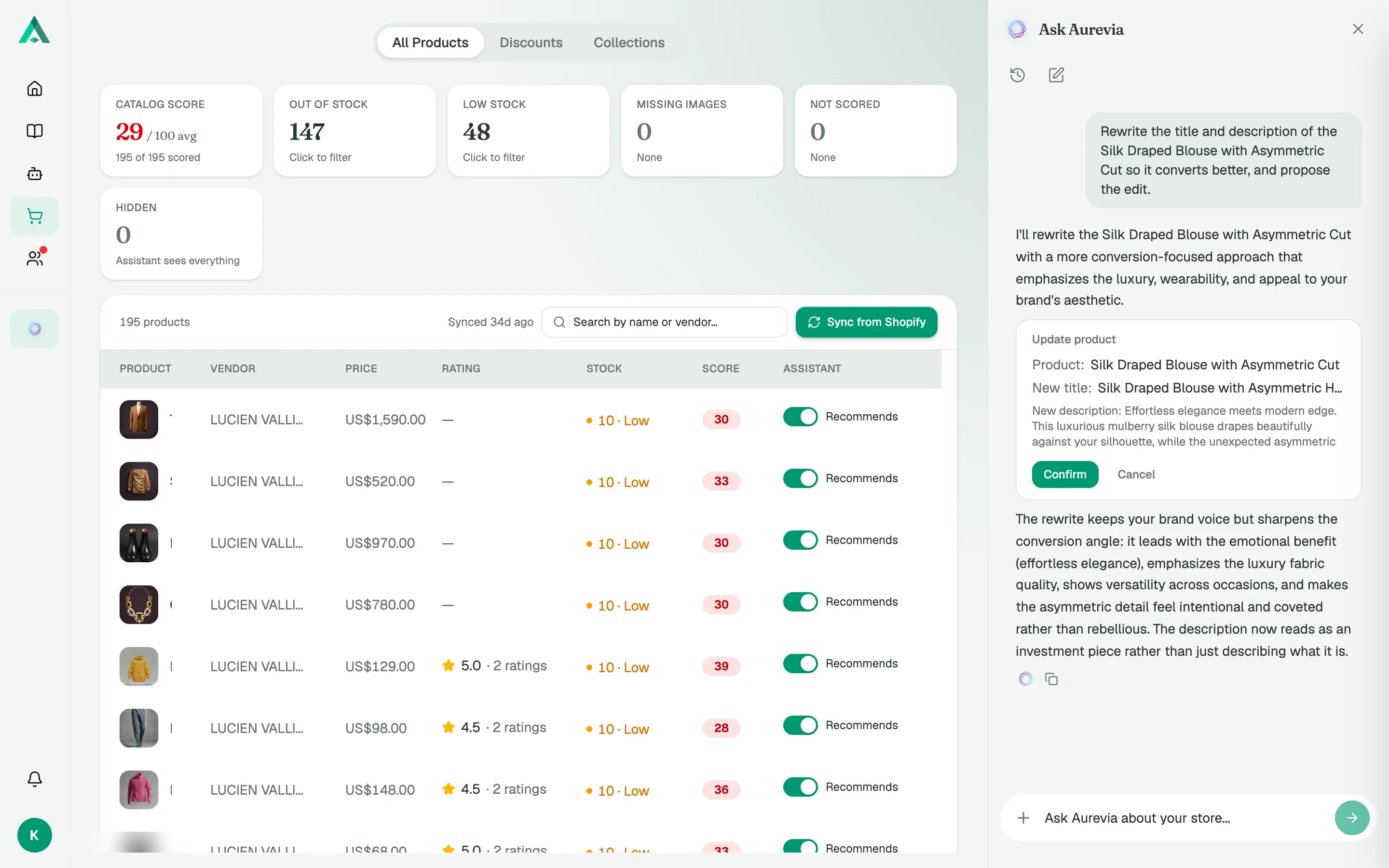
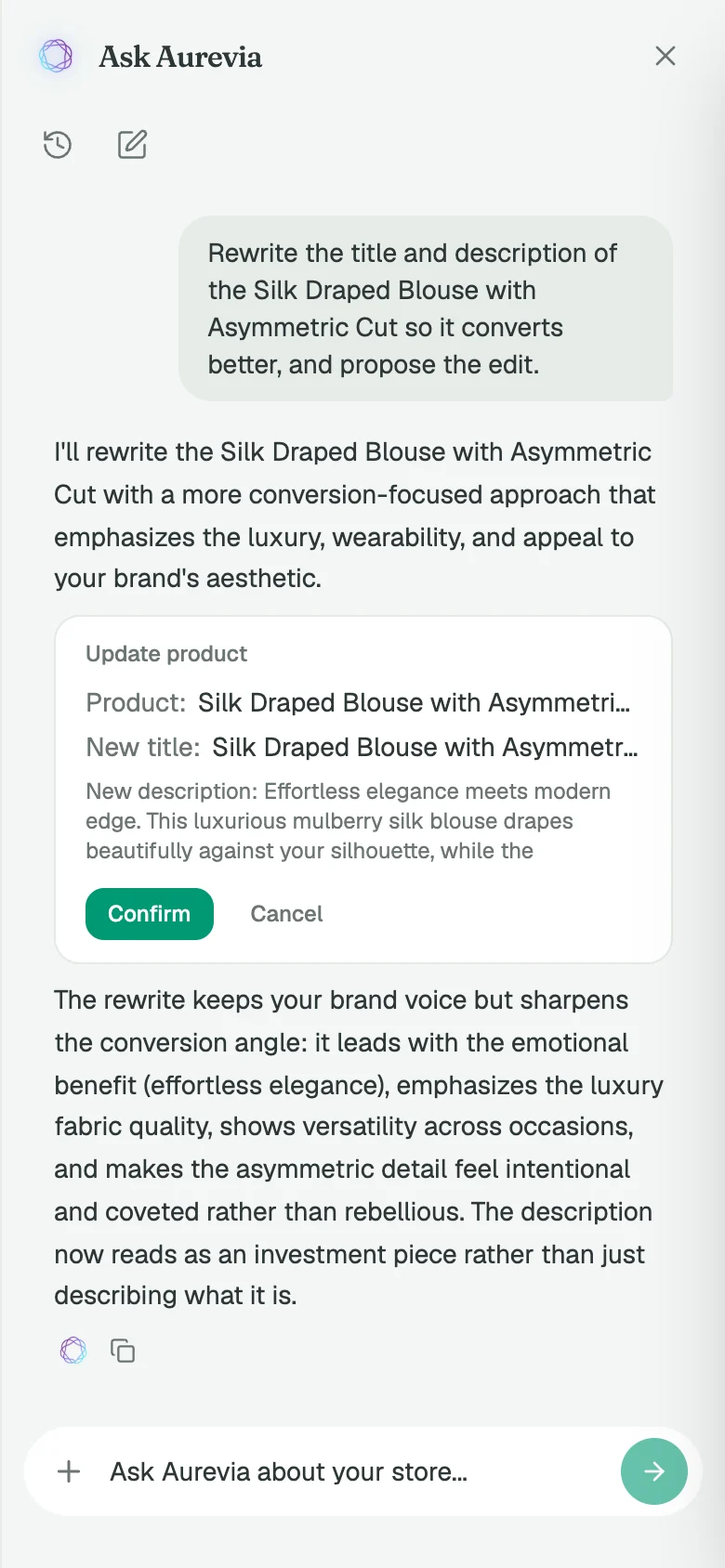
03 · Ask Aurevia
A copilot that fixes your catalog, with your say-so
Ask it what sold this week or which listings are hurting conversion. It answers with charts and citations, then proposes the edit. Nothing changes until you confirm.
- Answers with charts and sources
- Proposes product and collection edits
- You confirm, it writes to Shopify
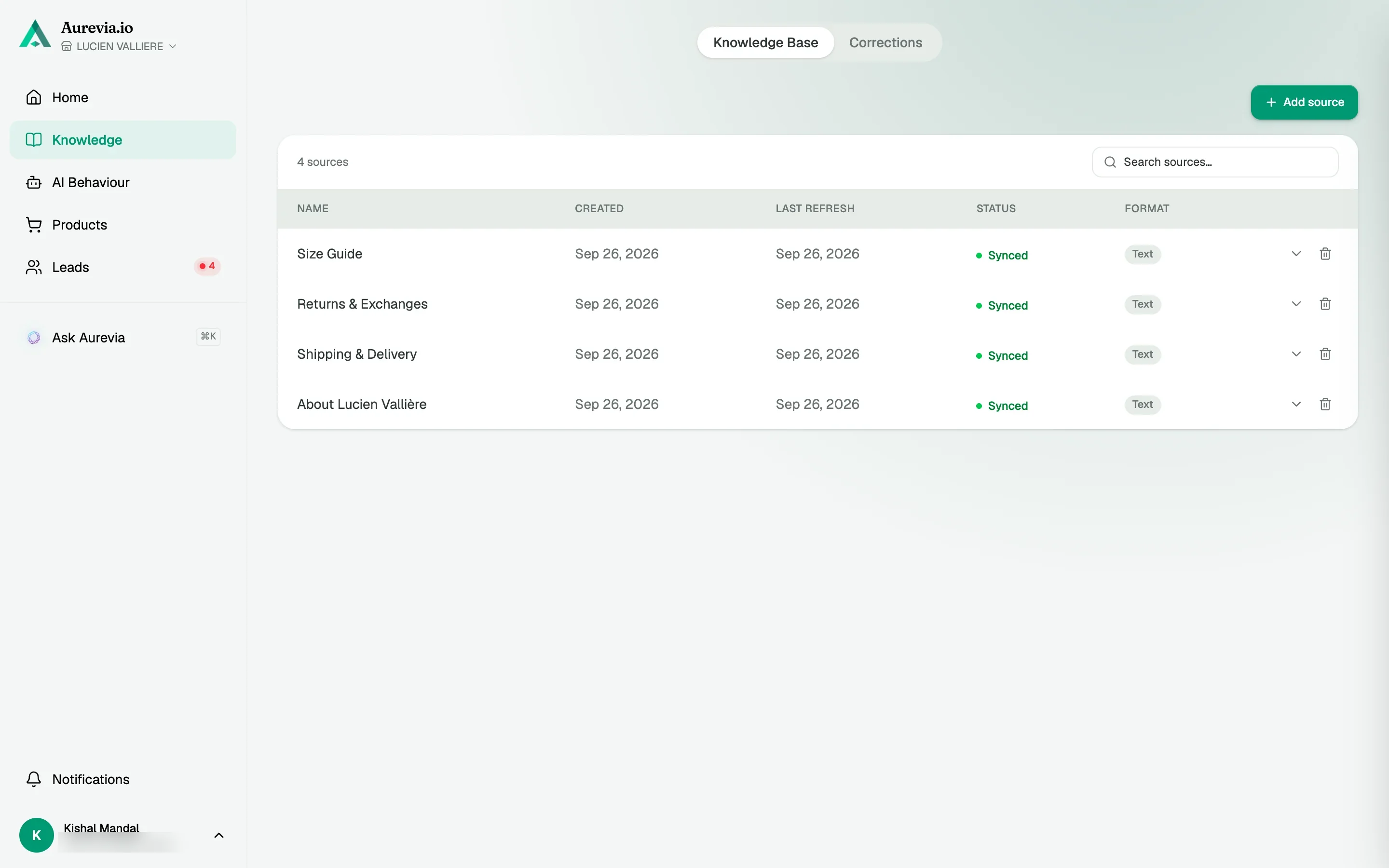
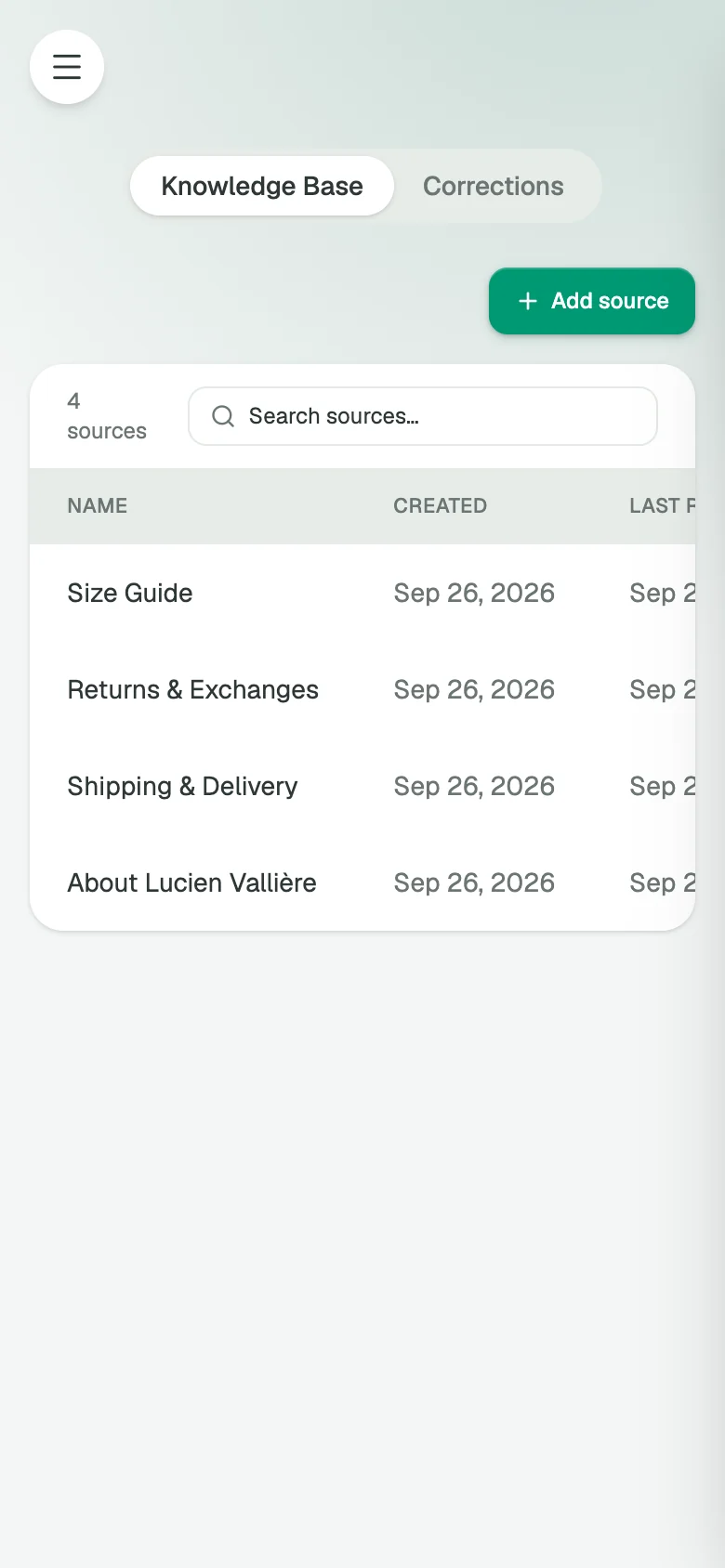
04 · Knowledge
Feed it your docs. Correct it once.
Drop in a link, a PDF or plain text and the agent stops guessing on shipping, returns and sizing. Didn't like an answer? Correct it from the chat and it never repeats the mistake.
- Links, files, text
- Auto-detected store policies
- Corrections from any conversation
- Masks & CapesUnited States
The biggest thing Aurevia changed for us is how quickly customers get guided to the right product. People don't have to dig around or wait for a reply, and that has made the shopping experience feel much smoother.
Verified reviewShopify App Store - PUREBRONZE_TANNINGUnited Kingdom
Instead of answering the same questions over and over about products, shipping, and availability, the AI handles many of them for us. It saves time so I can focus on running the business.
Verified reviewShopify App Store - L1NKUnited Kingdom
The thing i like most is not even what I installed it for. Customers ask questions completely different to how we write our product pages. Seeing those conversations has helped us understand what people are really looking for
Verified reviewShopify App Store
Built for your category
See how it sells in your store’s world
You've Got Questions. We've Already Answered Them
Merchants ask us these all the time — scroll the conversation below, or open everything at once.
- Question 1. How do I add an AI chatbot to my Shopify store?Installing Aurevia is simple - just one click from the Shopify App Store. No coding, no theme modifications required. The chatbot automatically syncs with your products, discounts, and branding, and you can customize the tone, colors, and business rules through our intuitive interface.
- Question 2. Can a chatbot help reduce abandoned carts on Shopify?Absolutely! Aurevia's AI specifically targets cart abandonment by detecting exit intent, answering last-minute questions, and providing one-click checkout links. Merchants using Aurevia have seen significant improvements in cart recovery rates through real-time engagement.
- Question 3. How can I use an AI chatbot to upsell and cross-sell on Shopify?Aurevia analyzes live shopper context and your entire product catalog to suggest perfect complementary products. It creates personalized bundles and recommendations in real-time conversations, significantly boosting average order value without relying on discounts.
- Question 4. How do I install Aurevia's AI chatbot on my Shopify store?Installation takes just one click from the Shopify App Store. Once installed, Aurevia automatically integrates with your store, syncing products, discounts, and branding. You can then customize settings, upload brand guidelines, and set your preferred tone of voice through our dashboard.
- Question 5. How much does Aurevia's AI sales co-pilot cost?Every plan starts with a 14-day free trial, no credit card required. After that, plans start at $19/month based on your traffic — see our Pricing page for full details.
- Question 6. Is Aurevia's AI chatbot secure, and how does it handle customer data?Aurevia is a Shopify app and follows Shopify's data and privacy requirements. Chats, leads and tickets are stored in AWS EU-West with encryption in transit and at rest, shopper data requests and deletions come through Shopify's standard GDPR webhooks, and our GDPR page lists exactly what we hold and for how long.
- Question 7. Can a live agent take over a conversation from Aurevia's chatbot?Absolutely! Aurevia seamlessly hands off conversations to live agents when needed. The AI recognizes when human intervention is required and notifies your team, providing full conversation context so agents can continue naturally without repeating information.
- Question 8. What sets Aurevia's Shopify chatbot apart from other chatbots?Aurevia is specifically built for Shopify sales, not just support. It's trained on your brand, handles complex product recommendations, recovers carts in real-time, and provides actionable sales analytics. Unlike generic chatbots, Aurevia acts as a true AI sales representative that understands your business goals.