Shopify integration
Native to Shopify, not bolted on
One click from the App Store and Aurevia syncs your catalog, discounts, and policies — then starts selling with your store as the system of record. No theme surgery, no six-week project.
5.0 on Shopify · 6 reviews- One-click App Store install
- Catalog & policy sync, automatic
- Real cart and checkout actions

 Powered by Aurevia.io
Live in one sitting
From install to a brand-styled conversation on your storefront in a single work session.
Always in sync
Product and policy changes flow straight through to what the AI can say and sell.
You hold the keys
Rules, voice, and escalation reflect how you run the brand — not how a bot vendor does.
What you get
App Store install
The same trust path you already use for the rest of your stack; no custom hosting required to start.
Cart- and order-aware by design
The AI is not blind to what is in the bag or which order is at stake—a requirement for real selling and support together.
No-code, brand-styled
Colors, tone, and prompts live in a merchant-friendly surface so changes do not need a dev ticket every time.
Room to grow with your business
Start lean; add knowledge sources, stricter rules, team seats and channels as you scale.
How it works
Install the app
Connect your store; confirm catalog and brand basics.
Turn on the widget
Drop in where shoppers need help: PDP, collection, and cart are common starting points.
Tune and measure
Adjust selling rules, watch conversations, and connect ROI so you can scale spend with confidence.
In your dashboard
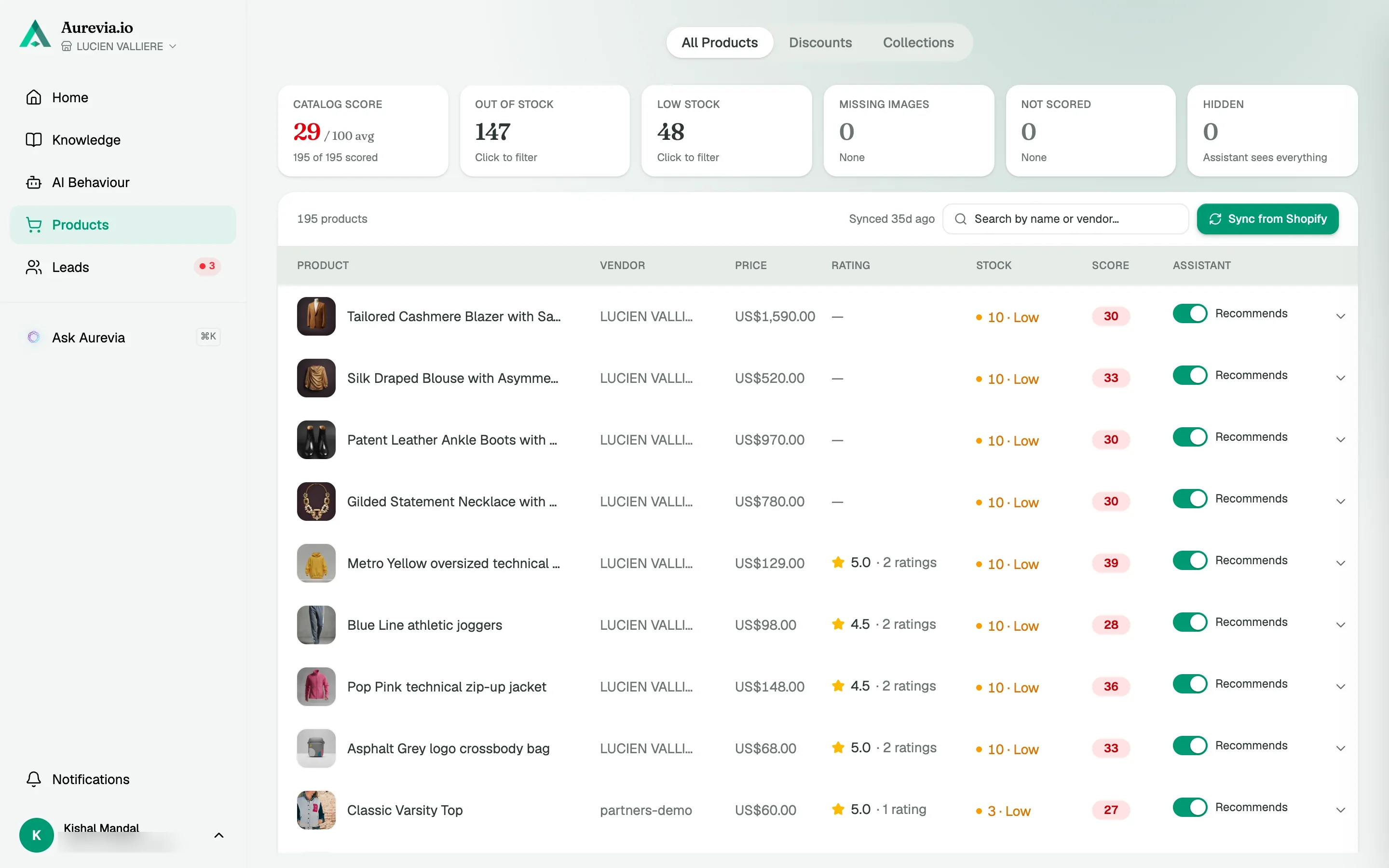
Your catalog, scored and in sync
Products, collections and discounts pull from Shopify and stay current through webhooks. Each product gets a score for SEO, images, completeness and AI readiness, with an Ask Aurevia to fix button.
Install to first chat in about ten minutes
Step 1
Install and sync
Approve the Shopify permissions, and the catalog syncs itself during onboarding.
Step 2
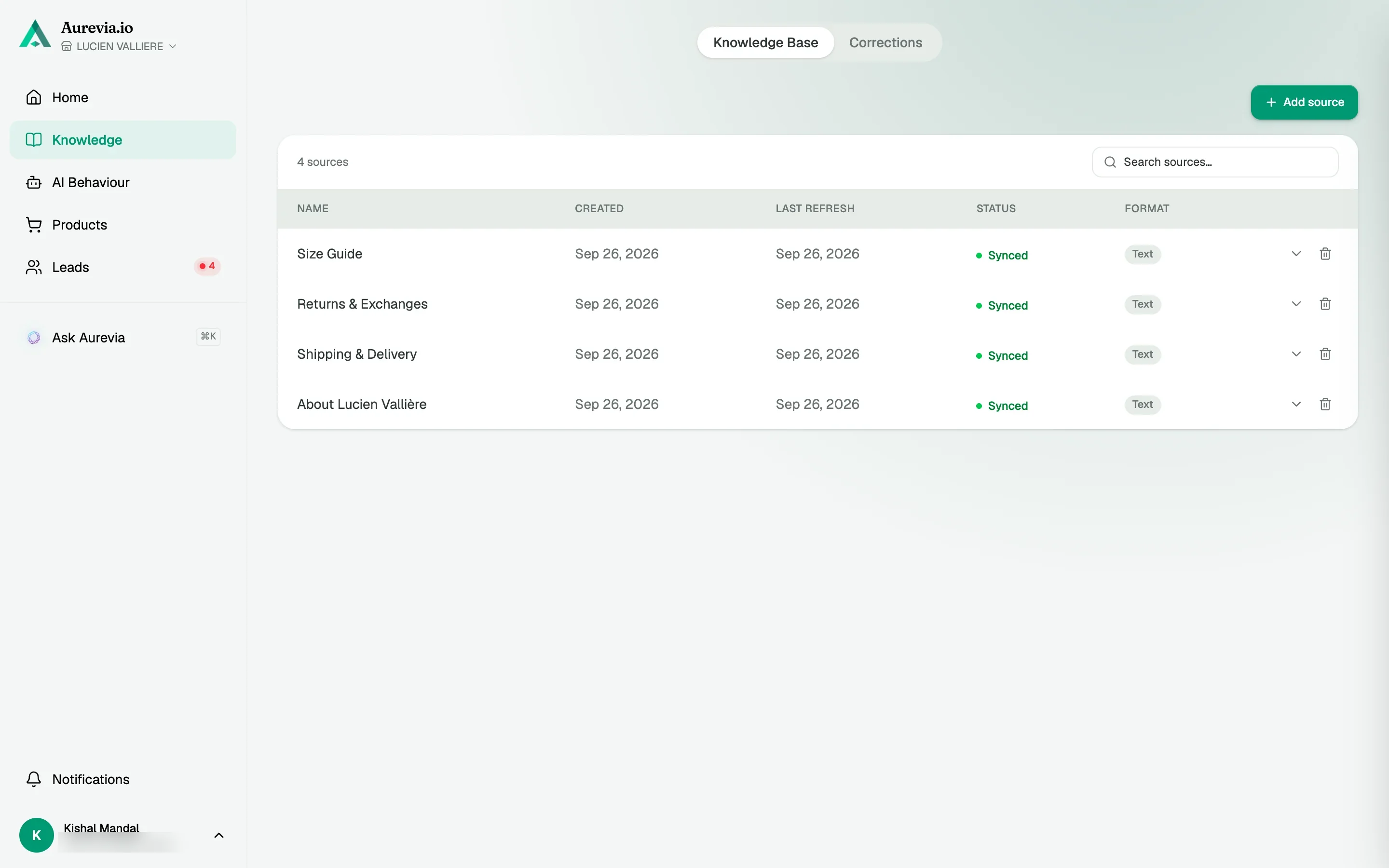
Add your policies
Shipping, returns and sizing from your Shopify policy pages, one click.
Step 3
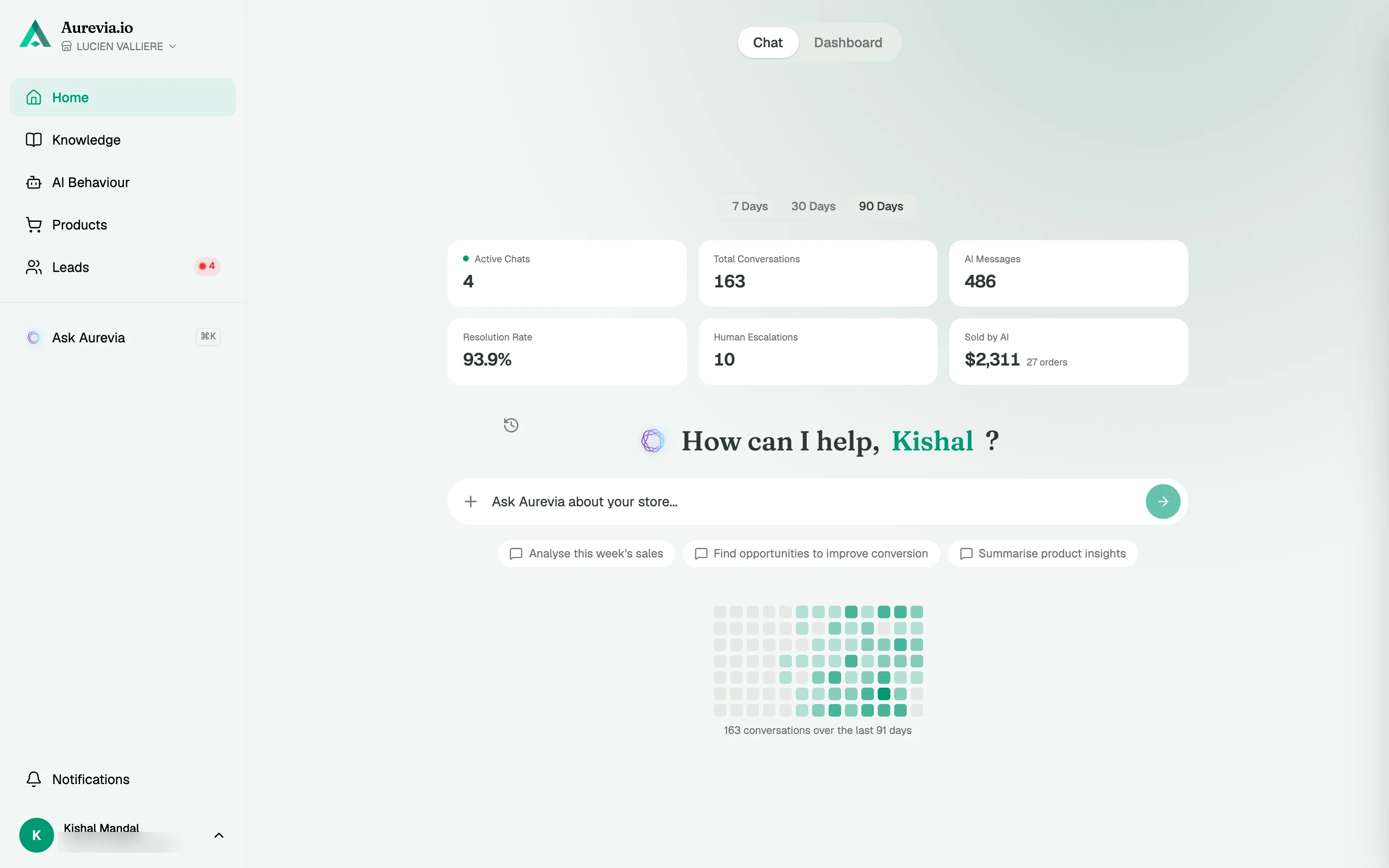
Enable the embed
One toggle in the theme editor. Aurevia checks your theme and confirms the widget is live.
The setup was surprisingly simple, and i was able to get Aurevia running on my store with much technical work. The interface is clean and easy to understand. Definitely worth testing if you want to add AI assistance to your store
Questions, answered
Will this slow my storefront?
The widget is built for real storefronts: load the chat experience the way a modern app should, without blocking the rest of your page.
Do you support headless or custom themes?
Shopify is the source of truth; we will align to how your theme or headless front presents products so recommendations stay accurate. Confirm edge cases with our team for complex stacks.
Is there a free plan?
No free plan, but every store gets a 14-day trial with 500 shopper messages and no card. Paid plans start at $19 a month and are billed through Shopify.
Also worth knowing
See it live on your store
Install from the Shopify App Store, sync your catalog, and watch the first conversations come in — most merchants are live within the hour.