Dashboard & Ask Aurevia
Monday morning, answered in one screen
Open the dashboard and know in ten seconds whether the AI earned its keep this week: revenue assisted, conversations handled, and where humans had to step in. Signal for operators — not a firehose of chat logs.
5.0 on Shopify · 6 reviews- Revenue and conversations, one view
- AI health: coverage & deflection
- Built for a weekly operator check-in

Performance
Aurevia dashboard
Revenue assisted
£12,480
▲ 18%
Conversations
1,284
▲ 9%
Resolved by AI
82%
▲ 4pts
Top converting flows
 Powered by Aurevia.io
Signal, not noise
KPIs that connect chat activity to the business — no wall of unlabeled widgets.
One truth for the team
Leadership and operators read the same numbers, so plans stop being debated from different spreadsheets.
Points at the next fix
Spot what to test next — prompts, products, or regions — without hiring a BI analyst.
What you get
Conversation and revenue in one place
See volume alongside the outcomes you care about so you are not overfitting to “chats per day.”
Health of the AI, not a mystery
Understand coverage, deflection, and where humans take over, so you can coach both the model and the team.
Fits the Shopify operator’s day
Short, focused check-ins: what changed this week, what to fix next, what to keep.
Grounded in your go-to-market
Tie what you see to campaigns, launches, and support spikes—context matters when numbers move.
How it works
Connect and install
Shopify data and your KB feed the first baseline view.
Run your week
Check the headline metrics and the exceptions that need attention.
Iterate in place
Adjust rules, copy, and priorities from the same home base.
In your dashboard
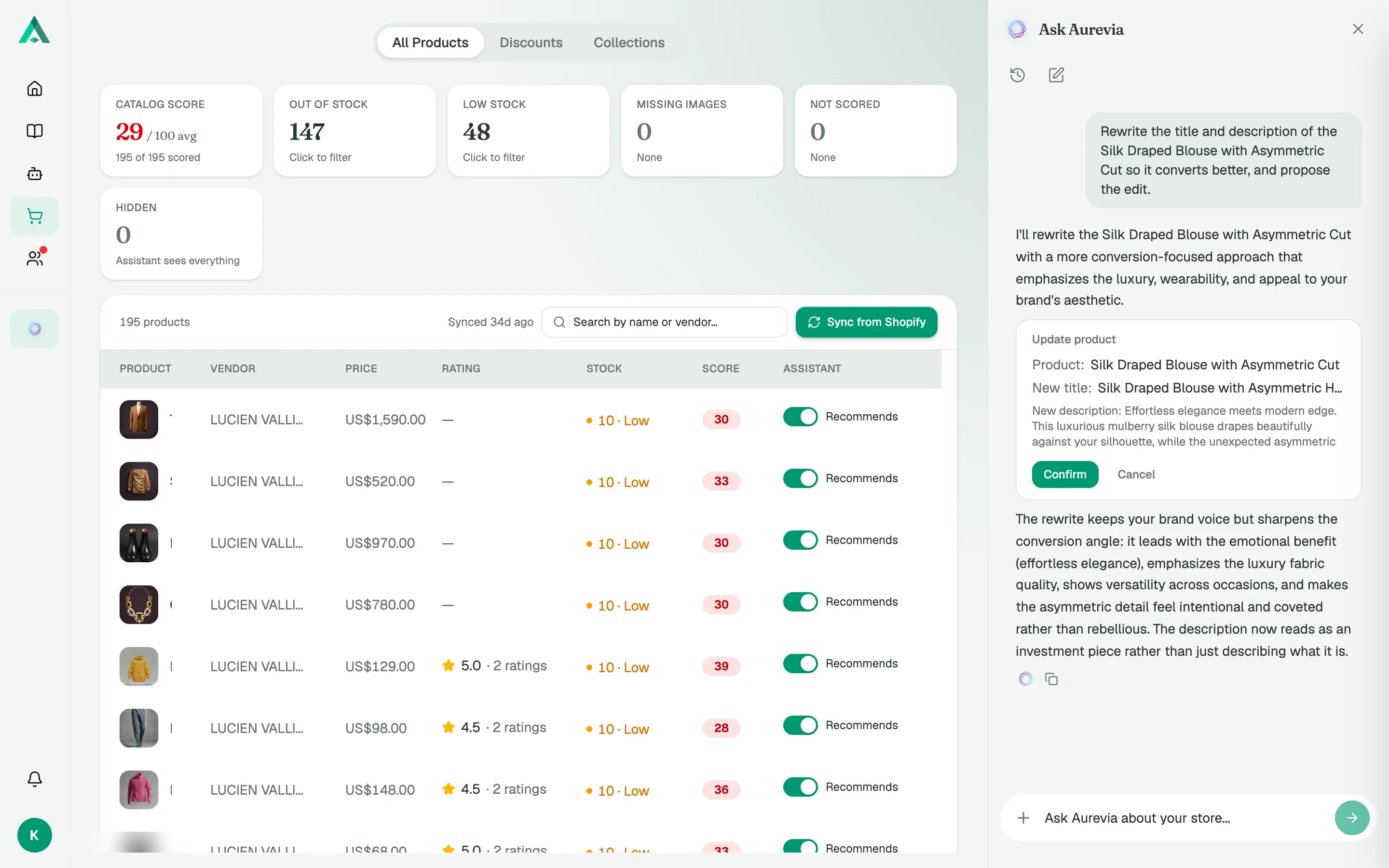
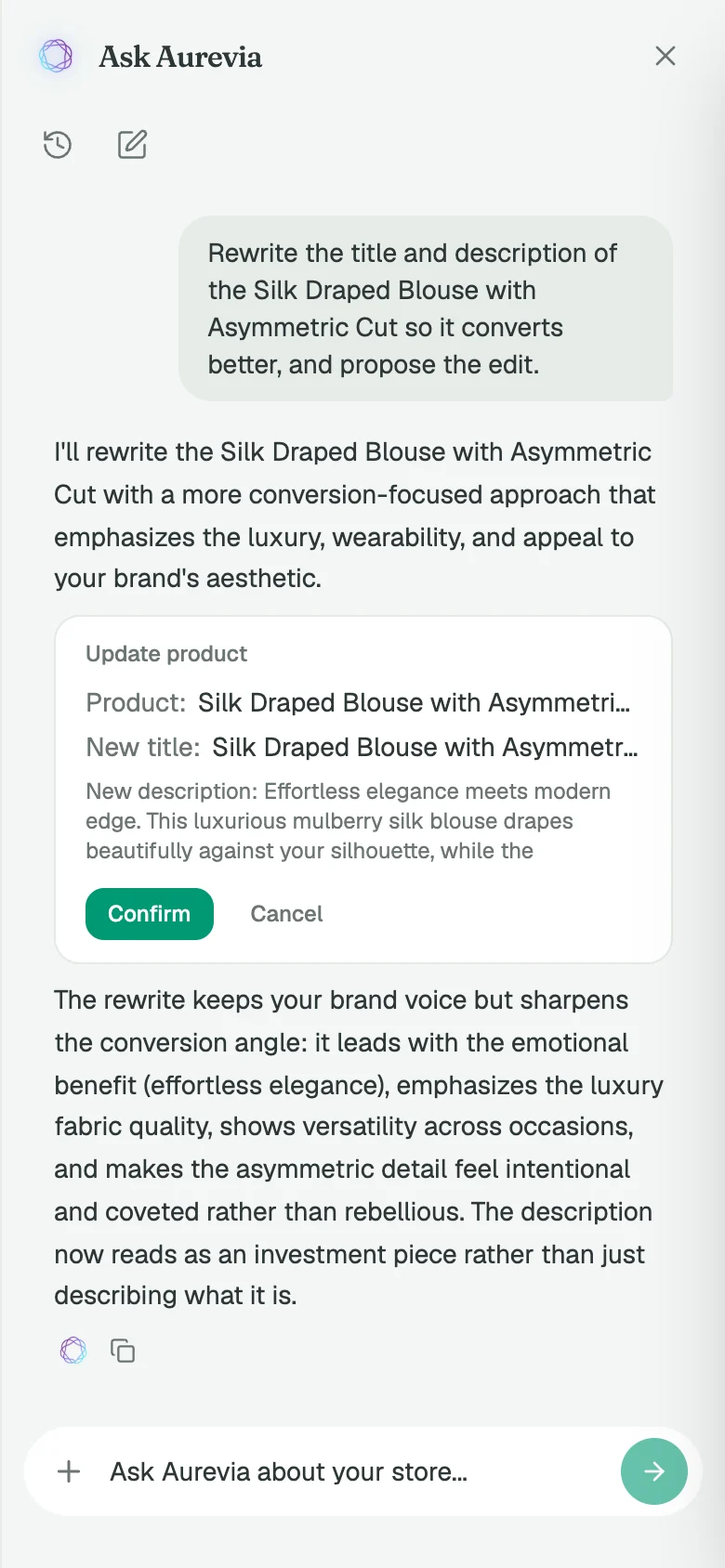
Ask it to fix something, then confirm
Ask Aurevia proposes the edit as a card: the product, the new title and description. Nothing is written to Shopify until you click Confirm.
What you'll actually look at
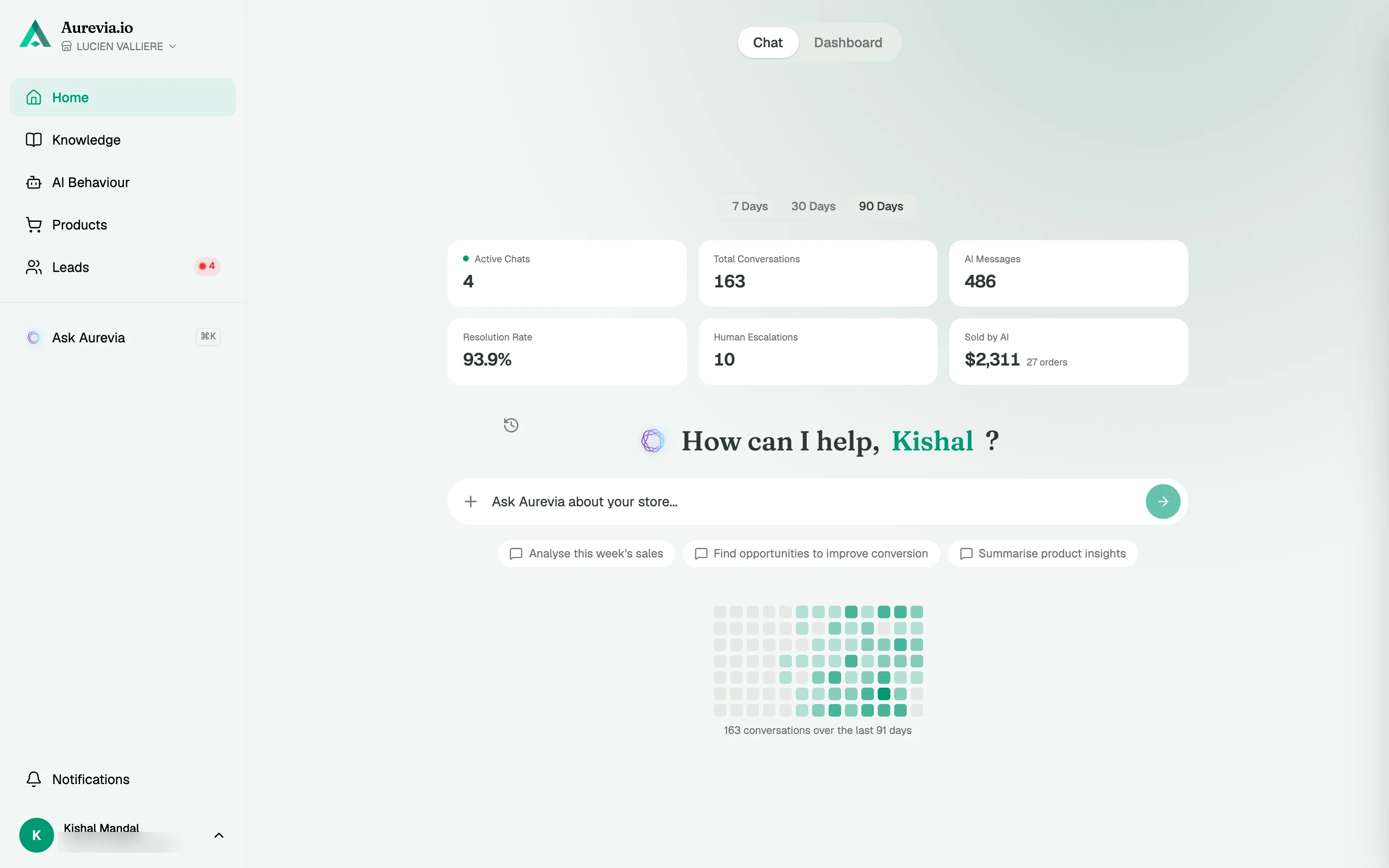
Step 1
Home, in chat view
Active chats, resolution rate, sold by AI, and a copilot box in the middle of the page.
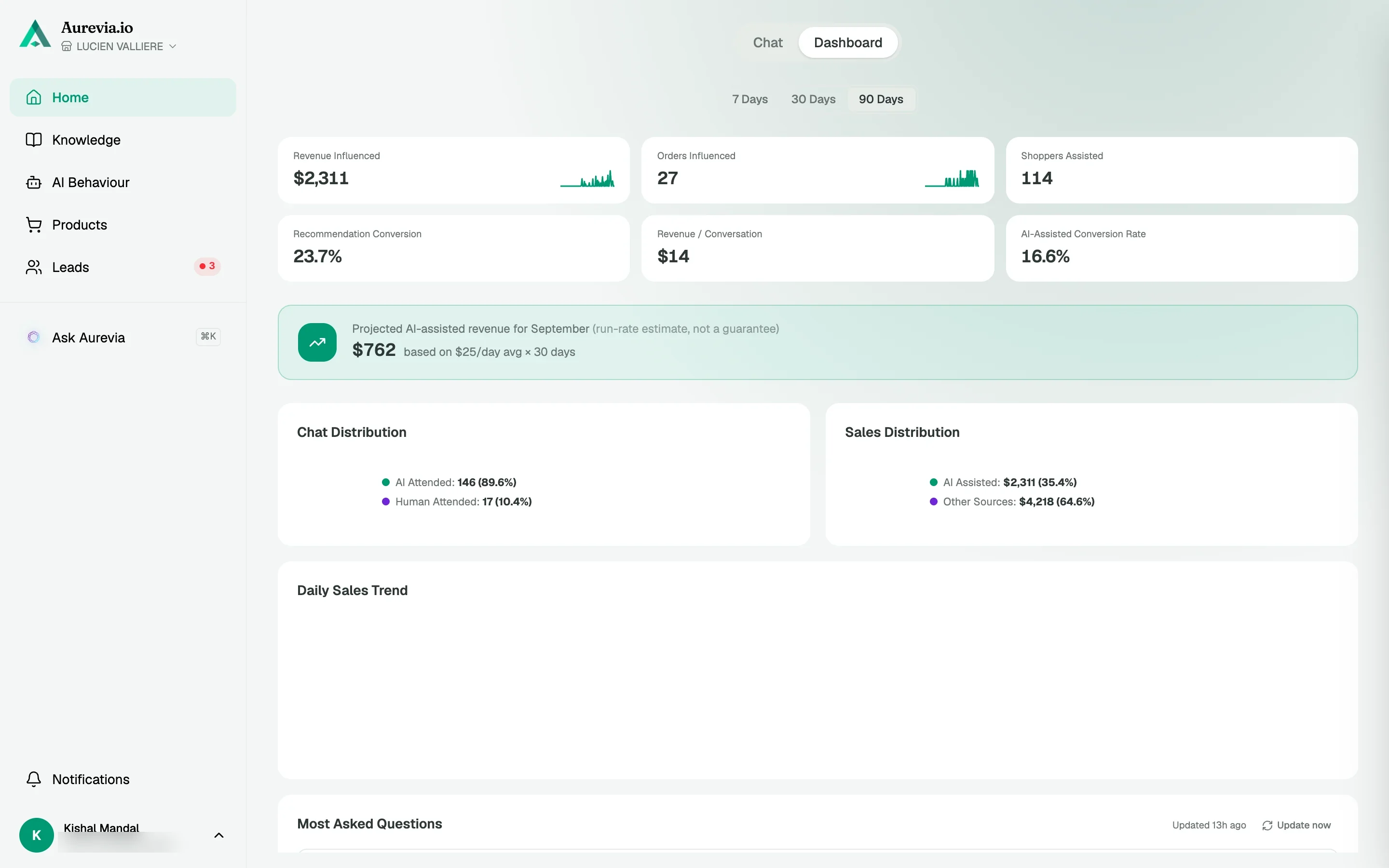
Step 2
Home, in dashboard view
Revenue and orders influenced, the recommendation funnel and the questions shoppers ask most.
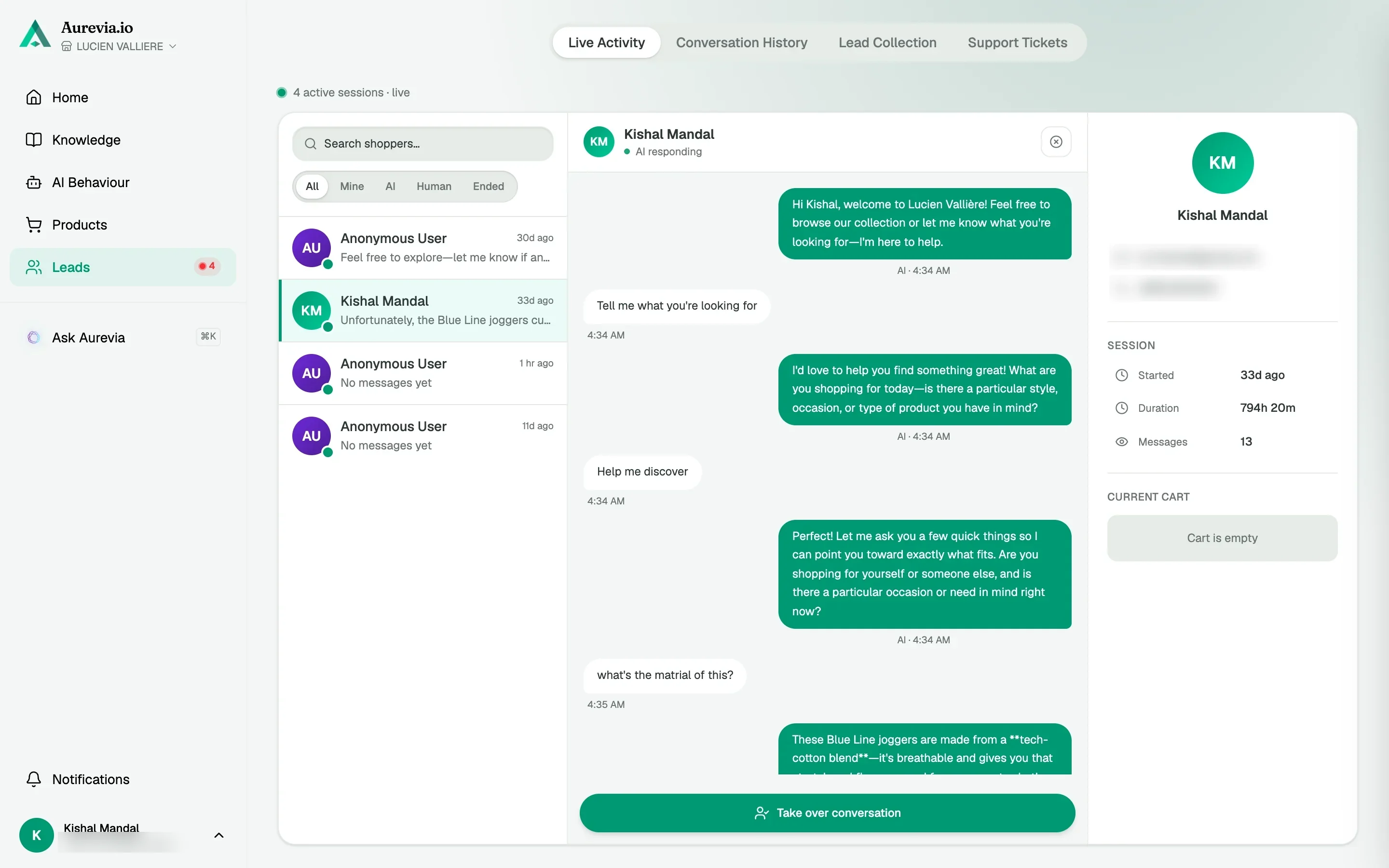
Step 3
Live Activity
Every open conversation with the shopper's cart beside it, refreshing as it happens.
The thing i like most is not even what I installed it for. Customers ask questions completely different to how we write our product pages. Seeing those conversations has helped us understand what people are really looking for
Questions, answered
How is this different from Google Analytics alone?
This ties buyer questions, AI performance, and revenue-leaning outcomes together—so you are not inferring everything from pageviews.
Can I share access with my agency?
Use your org’s process for logins; the goal is one honest view of performance for brand and partners alike.
Can I ask the dashboard questions instead of reading charts?
Yes. Ask Aurevia is built into the dashboard: press ⌘K and ask in plain English. It answers with charts and sources, and can propose catalog fixes that you confirm before anything is written to Shopify.
Also worth knowing
See it live on your store
Install from the Shopify App Store, sync your catalog, and watch the first conversations come in — most merchants are live within the hour.