Lead qualification
You paid for the traffic — keep the people
Every anonymous chat is a lead you almost had. Aurevia qualifies intent in the conversation — budget, timeline, use case — captures the email at the natural moment, and hands your team a name worth calling.
5.0 on Shopify · 6 reviews- Qualifies budget & timeline in-chat
- Captures emails after value, not before
- Exports clean records to your CRM

 Powered by Aurevia.io
Names, not sessions
Know which conversations produced a lead — not just which ads got clicks.
Qualified before you call
Budget, timeline, and intent arrive with the contact, so outreach minutes land on the right accounts.
Privacy-minded by design
Collect only what you need, with copy aligned to your policy and regions.
What you get
In-flow capture, not a wall
Ask for email at the right moment—after value, not before—so the exchange feels fair.
Conversation history, organized
Review what they asked, what the AI said, and what to do next when your team takes over.
Export when you need to
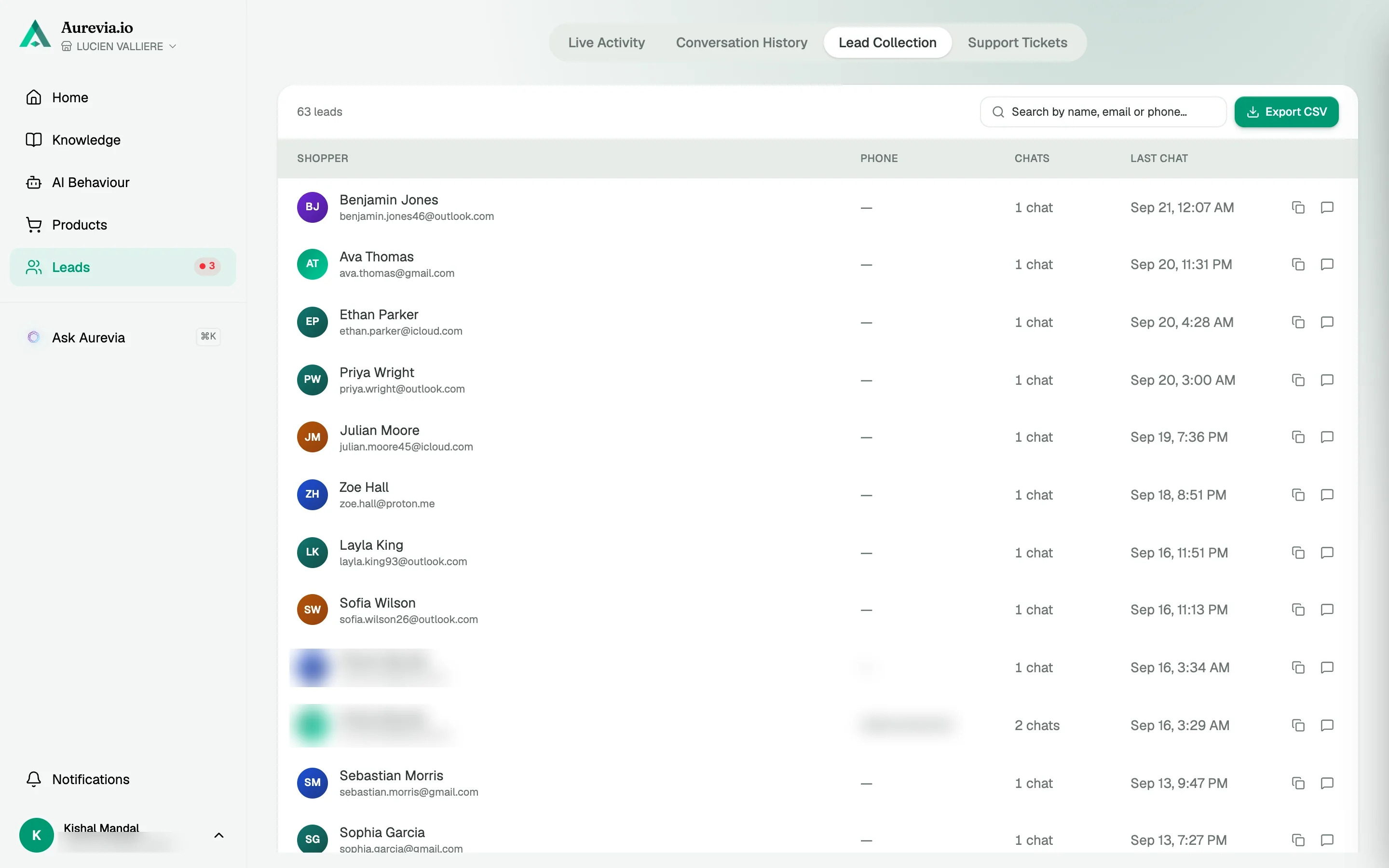
Every lead sits in the Leads tab with its transcript. Export the list as CSV on any paid plan and drop it into the tools you already use.
Pair with high-intent signals
Prioritize by cart value, category interest, and repeat visits so outbound time is not wasted.
How it works
Engage, then request
Qualify the problem first; the ask for an email is contextual, not cold.
Tag and triage
Status and notes help marketing and support sort hot versus nurture leads.
Follow up
Open the latest chat, copy the email, or export the list as CSV when you want it somewhere else.
In your dashboard
Every lead with the conversation attached
Lead Collection lists shoppers who gave an email, with phone, chat count and last chat. Open the latest conversation or export the list as CSV.
The thing i like most is not even what I installed it for. Customers ask questions completely different to how we write our product pages. Seeing those conversations has helped us understand what people are really looking for
Questions, answered
Can we block capture in certain countries?
Work with your policies and our configuration options for consent-appropriate copy by region; your legal team should align requirements.
Does this replace my ESP?
No. Leads live in Aurevia with their conversation history, and you can export them as CSV for the email platform or CRM you already use. There is no automatic sync today.
How is this different from a pop-up form?
The lead arrives with a transcript of what they need. Your team and automations are not starting from a bare address alone.
Also worth knowing
See it live on your store
Install from the Shopify App Store, sync your catalog, and watch the first conversations come in — most merchants are live within the hour.