Live takeover & tickets
Step in when it matters. Hand back when it's done.
The AI answers the routine questions on its own. When a shopper asks for a person, a ticket opens, your team is pinged, and the same chat becomes a live conversation with the transcript, cart and order already on screen.
5.0 on Shopify · 6 reviews- Take over any chat in one click
- Tickets with transcript, cart and order attached
- Reply by email from the dashboard

 Powered by Aurevia.io
No blank tickets
Every escalation carries what they asked, what they bought, and what the AI already said.
Working-hours aware
Out of hours, the ticket still opens and the shopper is told when the team is next in. Nobody is paged at 3am.
The cart stays warm
Escalating a question never means abandoning the sale mid-thread.
What you get
Live Activity
Every open session in one list, refreshing as it happens. Filter by AI, human or ended, search by shopper, and open the transcript with their current cart beside it.
Takeover from your phone
Get the notification, tap Take over, reply as yourself, share a product or a cart link, then hand the conversation back to the AI.
A ticket queue that fits a small team
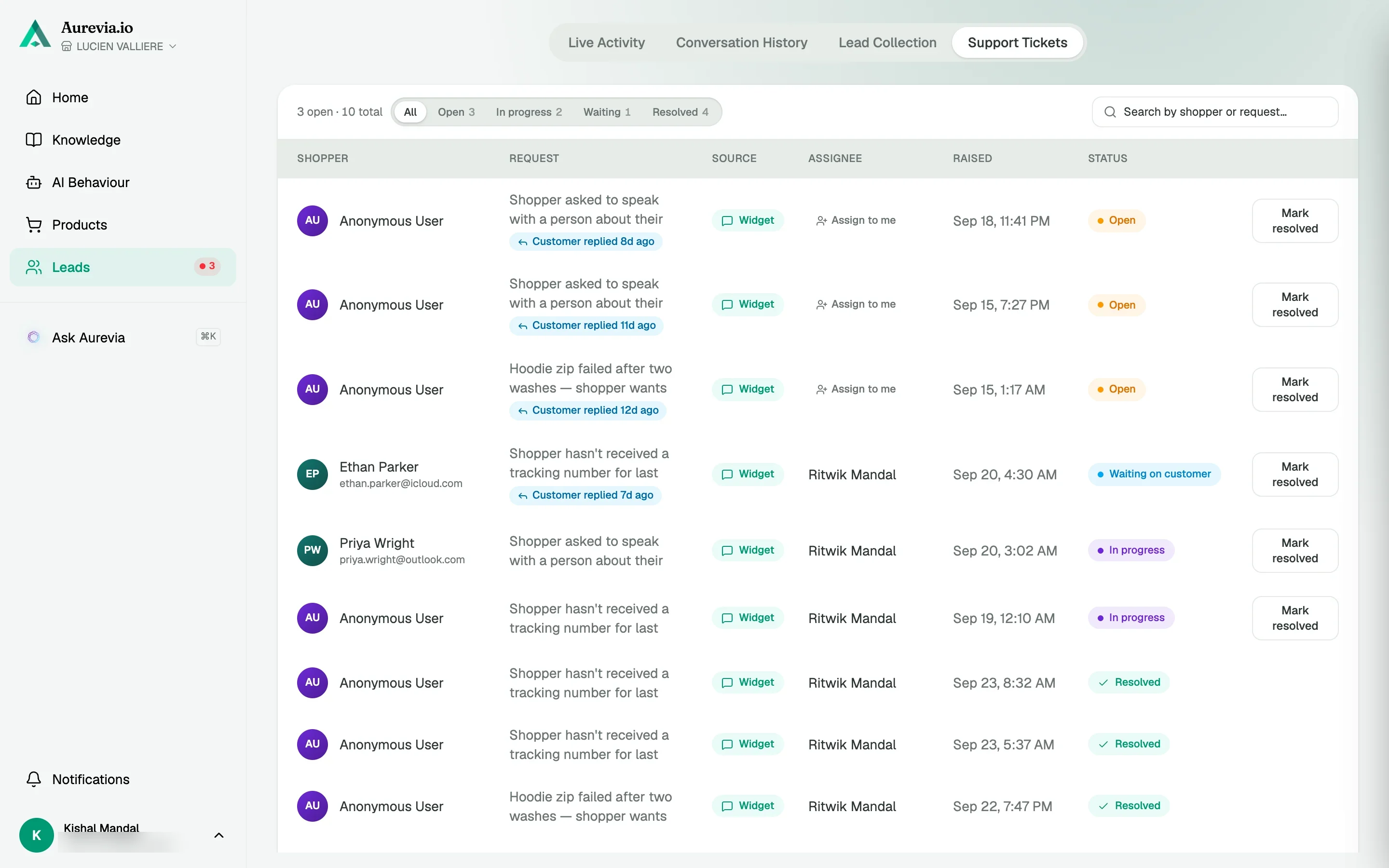
Open, in progress, waiting and resolved. Assign to anyone, resolve in a click, and reply by email in the same thread the shopper already has.
Correct the AI without leaving the chat
See an answer you'd have phrased differently? Correct it inline and the agent uses your version from then on.
How it works
The AI handles first
FAQs, order tracking and product questions get answered from your catalog and documents.
A shopper asks for a person
Or one of your handoff rules fires: cart value, refunds, complex requests. A ticket opens and the assigned agent is pinged.
You take over, then hand back
Reply in the same window. When you're done, the AI picks up with the full context.
Powered by Aurevia.ioOut of hours
The ticket still opens. Nobody gets paged at 3am.
Set your team hours once. Outside them the agent still raises the ticket, tells the shopper when someone will be back, and the alert waits until you're in.
- Working-hours aware
- Honest expectations
- Nothing lost overnight
In your dashboard
A queue a small team can actually run
Open, in progress, waiting and resolved, with the source, assignee and shopper on every row. Assign to anyone, resolve in a click, reply by email from the same panel.
How merchants set it up
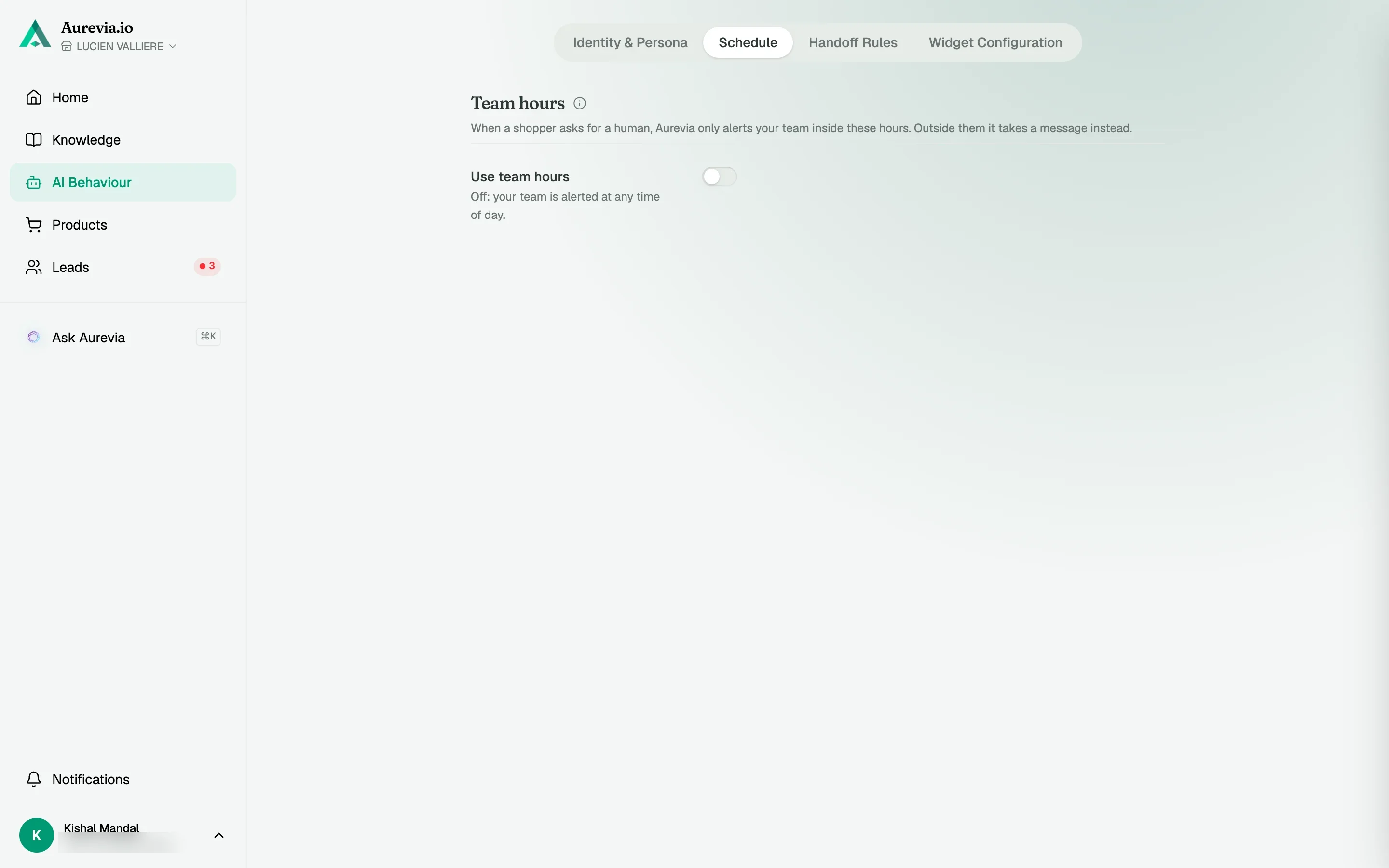
Step 1
Set team hours
Per-day hours in your timezone. Overnight ranges are fine.
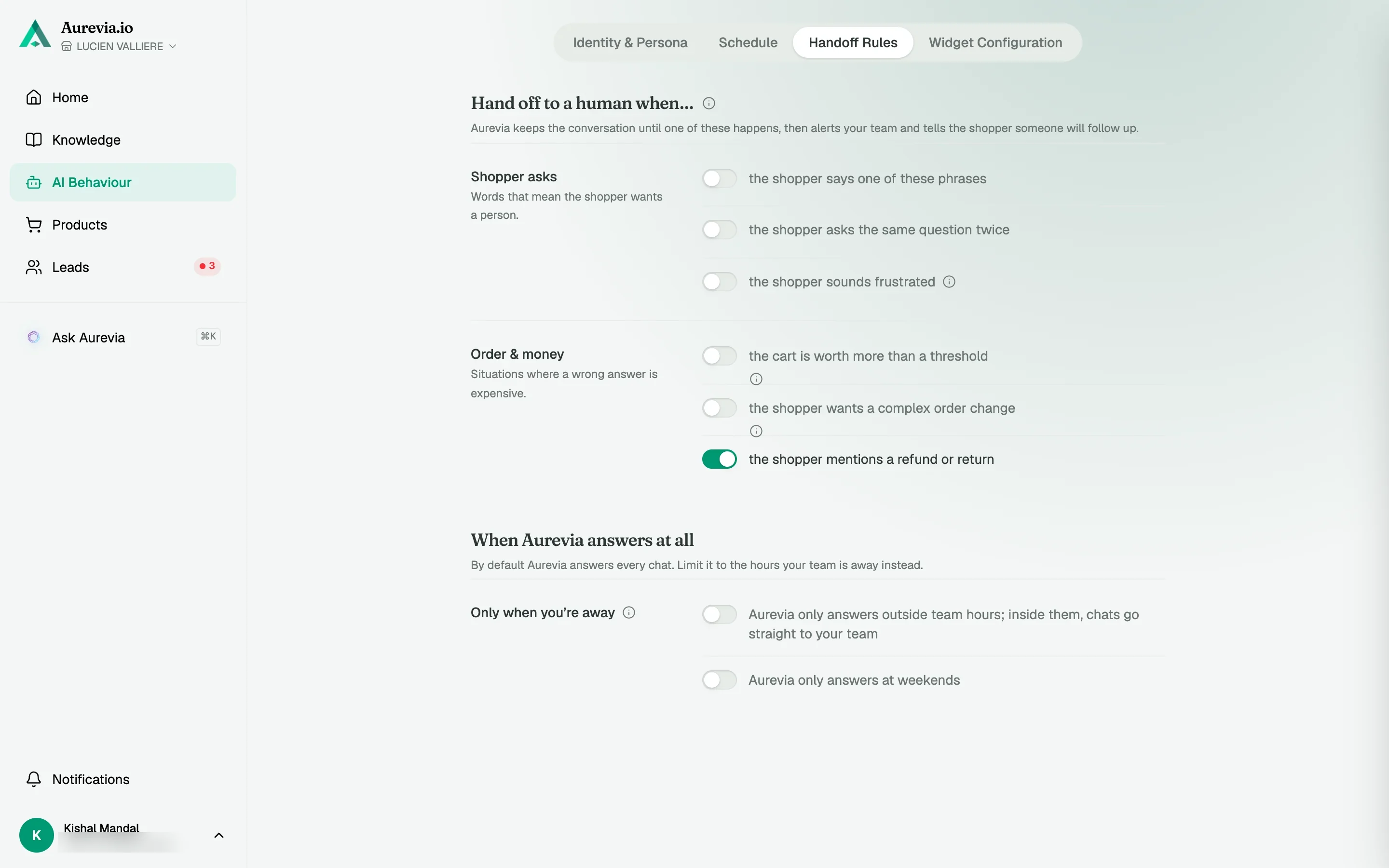
Step 2
Decide what needs a human
Handoff phrases, a cart-value threshold, refunds and complex requests.
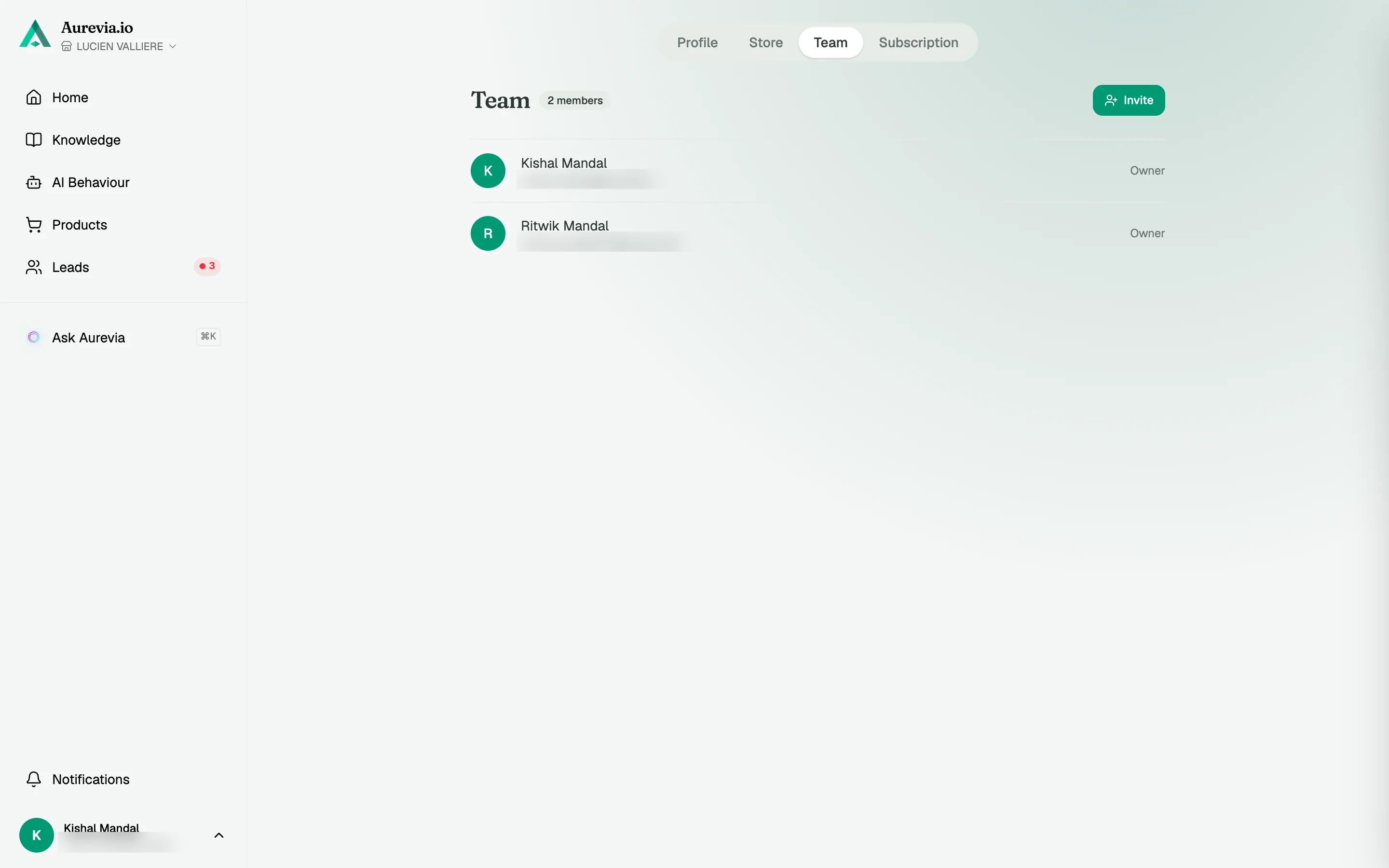
Step 3
Invite the team
Admins shape the AI, members handle conversations and tickets. Seats come with the plan.
Aurevia has been a nice time-saver for my store. Having an AI agent handle routine questions means I can spend more time focusing on other parts of the business.
Questions, answered
What does an agent see on handoff?
The full transcript, the shopper's contact details, session timing, their current cart, and any products the AI already showed. Nobody has to ask the shopper to repeat themselves.
Can the AI issue refunds or replacements on its own?
No. Refunds, address changes and anything that touches an order go to a human by default. The AI collects the details and opens the ticket.
What happens outside our hours?
Set your team hours once. Outside them, the ticket still opens and the shopper is told when someone will be back. Alerts go out when you're next in.
Also worth knowing
See it live on your store
Install from the Shopify App Store, sync your catalog, and watch the first conversations come in — most merchants are live within the hour.